Best Free AI Image Generators in 2026
The best free AI image generators right now are Google Gemini, Microsoft Bing Image Creator, Adobe Firefly, Ideogram, Leonardo.Ai and ChatGPT. All six let you create images from text without paying. Each one limits free use differently, though: daily credits, slower speeds, public galleries or capped access to the best models.
This guide compares what each free plan actually includes as of October 2026, which tool suits which job, and what “free” really means before you rely on any of them for your blog, social media or business.
What is the best free AI image generator?
There’s no single best option. Gemini and ChatGPT are the easiest for beginners because you just describe what you want in a chat. Bing Image Creator gives a clear daily allowance. Ideogram is strong at text inside images, and Adobe Firefly suits people who already use Adobe tools. Free limits change often, so check each provider’s current plan.
Quick Picks
| Tool | Best free use |
|---|---|
| Google Gemini | Easiest all-round option; editing photos with plain-language requests |
| Bing Image Creator | Clear daily free allowance; quick everyday images |
| ChatGPT | Conversational image creation and refinement |
| Adobe Firefly | Adobe users; designs headed for commercial projects |
| Ideogram | Images with readable text, like posters and thumbnails |
| Leonardo.Ai | More control over styles and settings |
What Is a Free AI Image Generator?
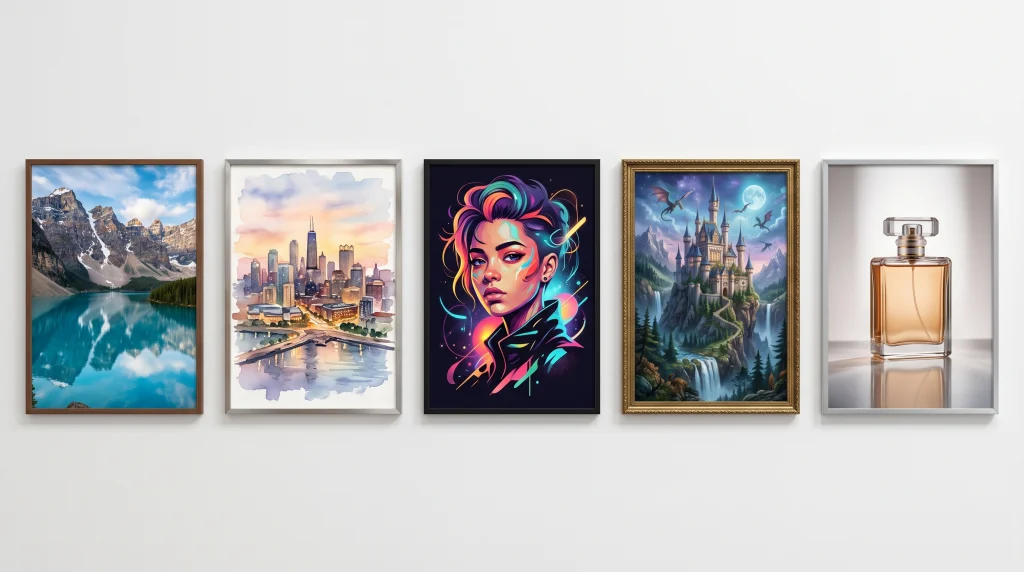
An AI image generator is a text-to-image AI tool. You type a description, called a prompt, and the system produces a new image that matches it. It works on the same prompt-to-output idea as an AI writer generator, just with pictures instead of text. These models are trained on very large collections of images and descriptions, so they learn how words relate to visual features like objects, styles and lighting.
“Free” almost never means unlimited. Generating images takes a lot of computing power, so providers usually limit free use through:
- Daily or weekly credits that reset on a schedule
- Slower speeds after a set number of fast generations
- Public images that appear in a community gallery
- Access to basic models only, with the newest models reserved for paid plans
- Fewer features, such as high-resolution downloads, private mode or batch generation
The Best Free AI Image Generators
Google Gemini
Gemini, Google’s AI assistant, lets you create and edit images by chatting. According to Google’s Gemini Apps help pages, image generation with its Nano Banana 2 model is available to users without a paid plan. Google is also expanding the Gemini family with new models, such as Gemini 4. You can upload a photo and ask for changes (“make the background a beach at sunset”), which is where Gemini is especially handy.
- Free access: available on the free plan. Google doesn’t publish a fixed daily number on its help page, and says some compute-heavy features may be unavailable during high demand.
- Strengths: very easy to use, strong photo editing through conversation, good at following detailed instructions
- Limitations: daily limits apply, and some features are reserved for paid Google AI plans. Google adds an invisible SynthID watermark to AI images it generates.
- Best for: beginners, quick edits, and anyone who already uses Google apps
Microsoft Bing Image Creator
Bing Image Creator is one of the most transparent free options. Microsoft’s help page says it’s free with a Microsoft account and gives you 15 fast creations a day. After that, you can keep creating for free at standard (slower) speed, or use Microsoft Rewards points to keep fast speed. It currently offers Microsoft’s own MAI-Image models.
- Free access: 15 fast generations daily, then unlimited standard-speed generations, up to 200 prompts in 24 hours
- Strengths: a clear allowance, quick results and no paid plan needed
- Limitations: requires a Microsoft account, and the editing tools are basic compared with dedicated design apps
- Best for: everyday images, quick blog illustrations and casual experimenting
ChatGPT
ChatGPT lets you create images in the same conversation where you chat, then refine them by asking for changes (“make it warmer,” “remove the text”). Free users can generate images, but OpenAI doesn’t publish a fixed free daily number, and limits can tighten when demand is high.
- Free access: limited free generations, with higher limits on paid plans
- Strengths: understands detailed, conversational instructions and is good at iterating on an idea
- Limitations: the free allowance is small and can change, and generation can be slow at busy times
- Best for: people who already use ChatGPT, and for refining an idea step by step
Adobe Firefly
Adobe’s Firefly web app now offers free daily generations without a paid plan, according to Adobe’s plans page. That includes access to some partner models, such as Google’s Nano Banana. Adobe also has a credit system for its paid plans and premium features.
- Free access: daily free generations that refresh each day, with premium features and extra credits on paid plans
- Strengths: a polished design interface, and it connects with Photoshop, Express and other Adobe tools. Adobe positions its own Firefly models as designed for commercial use.
- Limitations: free allowances are modest, and rules can differ between Adobe’s own models and partner models
- Best for: designers, marketers and anyone working in the Adobe ecosystem
Ideogram
Ideogram is known for generating readable text inside images, which many generators still struggle with. That makes it useful for posters, quotes, YouTube thumbnails and social graphics.
- Free access: free weekly credits for eligible accounts. Ideogram’s pricing page doesn’t state the exact number.
- Commercial use: Ideogram says it doesn’t claim ownership of your images and allows commercial use
- Limitations: free images are public by default, and private generation is for paid plans only
- Best for: text-heavy graphics and social posts
Leonardo.Ai
Leonardo offers more creative controls than most free tools, including style presets, different models and image guidance.
- Free access: 150 tokens a day, according to Leonardo’s pricing page. Different features use different numbers of tokens.
- Commercial use: free users get a non-exclusive license to use generated content commercially
- Limitations: free images are public, and advanced features such as Ultra quality and some real-time tools are limited
- Best for: hobbyists and creators who want more control over style
Other options worth knowing
Canva includes AI image tools for free users with limited usage, and they’re convenient if you already design in Canva. Craiyon is a no-signup option for very quick experiments, though image quality is lower. Check each tool’s current limits, because they change often. For paid tools such as Midjourney, see our ranking of the top AI image generators.
Best Free AI Image Generator for Different Needs
- For beginners: Gemini or ChatGPT. You just describe what you want in plain English.
- For a clear daily allowance: Bing Image Creator, with its published free quota.
- For images with text: Ideogram
- For editing your own photos: Gemini
- For design and commercial projects: Adobe Firefly
- For more creative control: Leonardo.Ai
- For blog featured images: any of the top four. Bing and Gemini are the quickest to start with.
How to Choose a Free AI Image Generator
Run the same prompt in two or three tools and compare the results. Then weigh:
- Image quality and prompt understanding. Does it actually follow your description?
- Free limits. Daily or weekly credits, and what happens when you run out.
- Speed. Fast versus queued generation.
- Editing. Can you change parts of an image, or only regenerate it?
- Resolution. Free tiers sometimes limit downloads.
- Watermarks. Visible marks matter for publishing. Invisible ones like SynthID label the image as AI-made.
- Privacy. Some free tools make your images public.
- Commercial-use rules. Read the terms before you use an image in business.
- Account requirements. Most need sign-in.
How to Get Better Results From Free AI Image Generators
Free credits go further when your prompts are clear. A good prompt usually covers:
- The subject: what’s in the image
- The setting: where it is
- The composition: close-up, wide shot, top-down
- The lighting: soft morning light, dramatic side light
- The style: photorealistic, watercolor, 3D render, flat illustration
- Camera details, when you want a photographic look: shallow depth of field, 50mm lens
- The aspect ratio, if the tool supports it: 16:9 for blog headers, 1:1 for Instagram
Keep prompts focused rather than long and cluttered, and iterate. Change one detail at a time instead of starting over.
Example prompts:
- “A cozy reading nook by a rainy window, warm lamp light, soft focus, photorealistic, 16:9.”
- “Flat illustration of a person planning their week at a desk with a laptop and coffee, pastel colors, clean minimal style, 1:1.”
- “Poster with the words ‘Weekend Market’ in bold hand-lettered type above fresh fruit stalls, bright sunny colors.” (A good test for Ideogram’s text handling.)
- “Top-down photo of a healthy breakfast bowl with berries and oats on a wooden table, natural light, food magazine style.”
If you’re stuck on wording, an AI-powered writing assistant can help you brainstorm and tighten prompts before you spend your free credits.
Are Free AI Image Generators Really Free?
Usually free to start, but with conditions. Here’s what the common labels mean:
- Free tier: an ongoing free plan with set limits (Bing, Leonardo, Ideogram)
- Daily credits: an allowance that resets every day (Leonardo, Firefly, Bing’s fast creations)
- Weekly credits: an allowance that resets weekly (Ideogram)
- Limited generations: an unpublished cap that can change with demand (ChatGPT, Gemini)
- Free trial: temporary access to paid features that then expires
- Paid features: premium models, private mode, higher resolution, batch generation
None of these guarantees permanent free access. Providers change their plans regularly.
Can You Use AI-Generated Images Commercially?
It depends on two separate things.
1. The platform’s rules. Each provider sets its own terms. Ideogram and Leonardo, for example, say on their pricing pages that free users can use images commercially. Other services have different conditions, or don’t state their position clearly on their help pages. Before using an image in a product, ad or client work, check the provider’s:
- terms of service and license
- commercial-use restrictions
- content policies, such as rules on real people, brands and trademarks
2. Copyright law. In the U.S., the Copyright Office’s 2025 report said images generated from prompts alone generally aren’t protected by copyright, while meaningful human creative contributions can be. That means you may not be able to stop others from reusing a purely AI-generated image. Also avoid prompts that recreate copyrighted characters, logos or a specific artist’s work.
This is general information, not legal advice. For important commercial uses, check the terms carefully or ask a qualified professional.
Frequently Asked Questions
What is the best free AI image generator?
It depends on what you need. Gemini and ChatGPT are easiest for beginners, Bing gives a clear daily allowance, Ideogram handles text in images well, and Adobe Firefly suits design work.
Are AI image generators actually free?
Many offer genuinely free plans, but with limits such as daily credits, slower speeds, public images or restricted features.
Which AI image generator gives the most free images?
Bing Image Creator publishes the clearest allowance: 15 fast images a day, then unlimited standard-speed images, up to 200 prompts in 24 hours. Leonardo gives 150 tokens a day, though how many images that buys depends on your settings.
Can I use AI-generated images commercially?
Sometimes. It depends on each provider’s terms, and purely AI-generated images may not be protected by copyright in the U.S.
What is the easiest AI image generator for beginners?
Chat-based tools like Gemini and ChatGPT, because you simply describe what you want and ask for changes in plain language.
Are free AI image generators safe to use?
The major tools are generally safe, but read their privacy policies. Some free plans make your images public, so avoid uploading personal or confidential photos.
Sources
- Microsoft: Bing Image Creator help, on the Microsoft account requirement, 15 free fast creations a day, standard speed afterward, MAI-Image models and the 200-prompt limit
- Google: Gemini Apps limits and plans, on Nano Banana 2 image generation for users without a paid plan and possible limits during high demand
- Adobe: Firefly plans, on free daily generations and partner models including Nano Banana
- Adobe: Generative credits FAQ, on how credits work
- Ideogram: Pricing, on weekly free credits, public-by-default images and commercial use
- Leonardo.Ai: Pricing, on 150 daily tokens, public images and the commercial license for free users
- Copyright Alliance: Summary of the USCO AI Report, Part 2, on copyright for AI outputs
Bottom line
The best free AI image generators all cover the basics well. The right one depends on what you’re making, how many images you need, whether your images can be public, and whether you plan to use them commercially. Start with one or two that fit your work, learn to write clear prompts, and check the current terms before you publish. For writing, coding and productivity tools too, see our full guide to the best AI tools this year.