
What Is Spatial Computing? A Simple Guide to How It Works
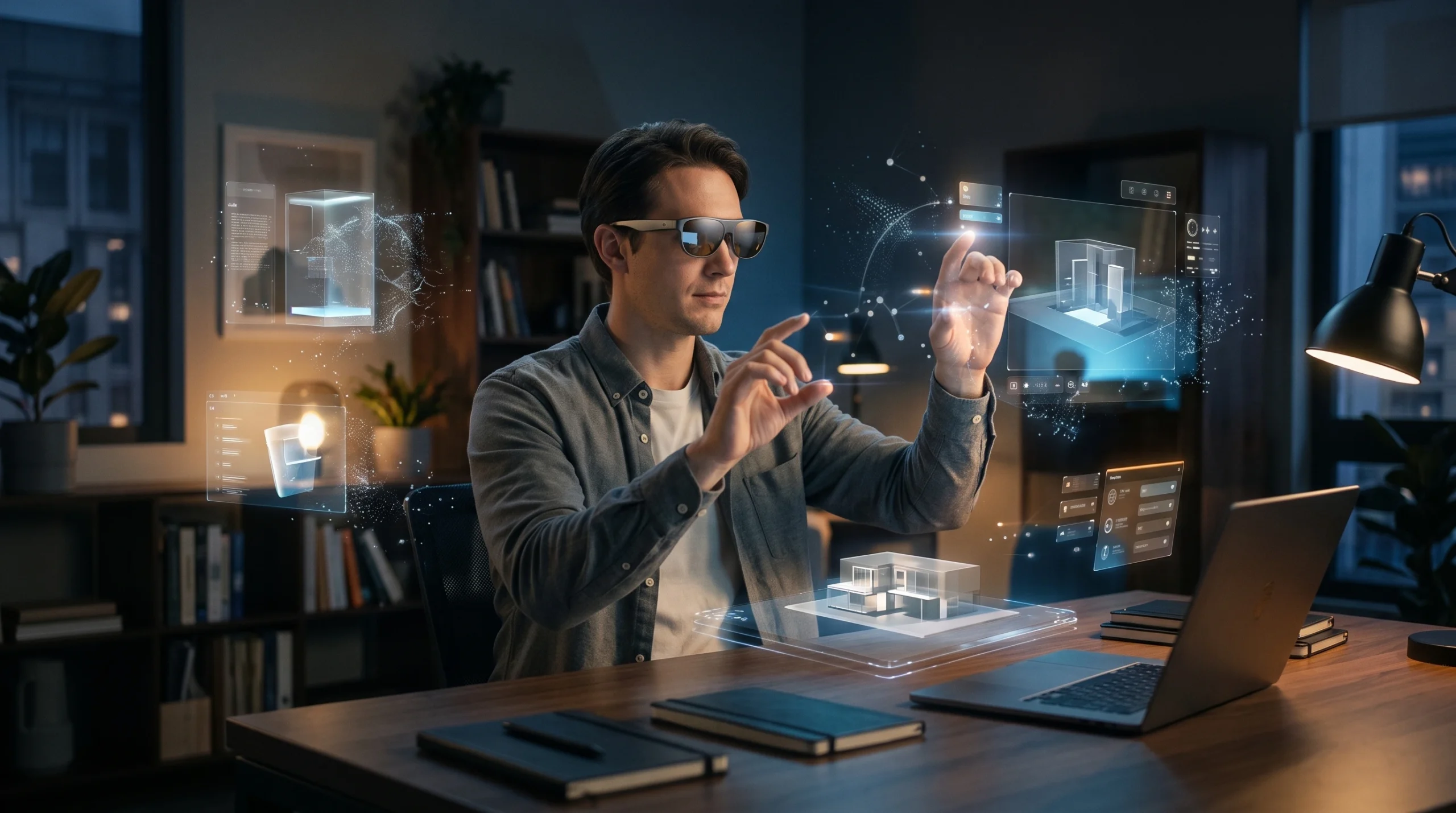
Most computing happens on a flat screen. You look at a phone, laptop or TV, and everything digital stays inside that rectangle. Spatial computing tries to break out of the rectangle. It lets a device understand the room around you, so digital content can sit on your real desk, stay pinned to your wall, or respond when you reach out with your hand.
So, what is spatial computing exactly? This guide explains it in plain language. It covers how the technology works, how it differs from VR, AR and mixed reality, which devices use it today, and where its limits are.
What Is Spatial Computing?
Short answer: Spatial computing is a broad term for computing that understands and interacts with the physical, three-dimensional space around you. A spatial computing device uses cameras, sensors and software to map your surroundings, then places digital content in that space and lets you interact with it in a natural way.
There’s no single official definition. The term goes back at least to a 2003 MIT thesis by Simon Greenwold, which described spatial computing as “human interaction with a machine in which the machine retains and manipulates referents to real objects and spaces.” Today, companies use the phrase in slightly different ways. Apple calls Vision Pro a “spatial computer.” Microsoft’s documentation talks about mixed reality and “environmental understanding.” Meta and Google often use terms like mixed reality and XR (extended reality).
The common idea behind all of them is that the computer knows where things are in physical space.
Here’s a simple way to picture it. Imagine looking at a real table through a headset and seeing a digital 3D model of a chair appear on it. The model doesn’t float randomly. It rests on the tabletop because the device knows where the table is. Walk around it and you see its other side. Reach out and you can turn it with your fingers.
A flat screen can’t do that. A video of a chair on your phone has no idea your table exists. Spatial computing connects digital content to real places.
How Does Spatial Computing Work?
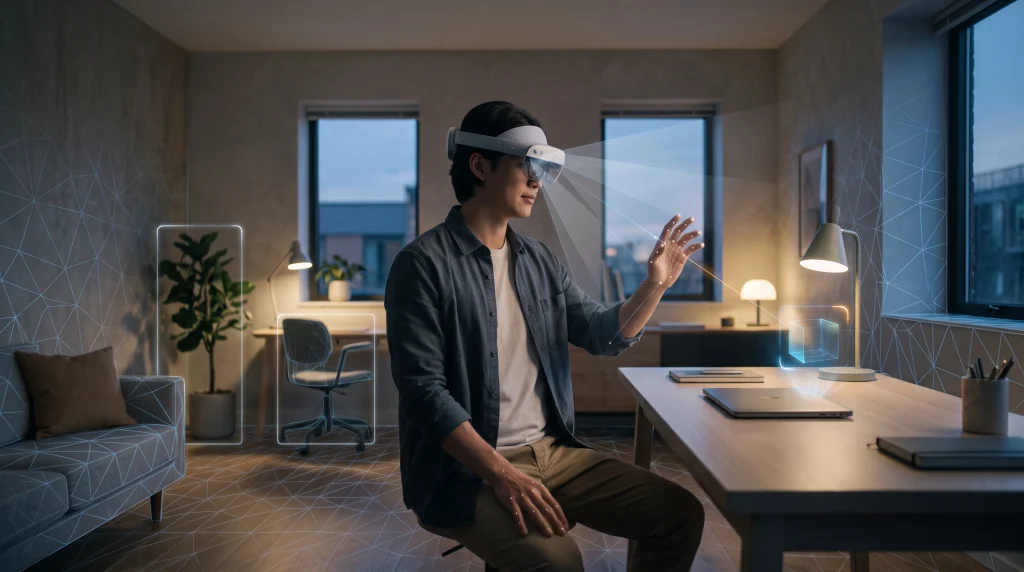
Every spatial computing system has to do three things. It has to sense the world, understand what it senses, and respond in a way that feels natural. Several technologies work together to make that happen.
Cameras
Cameras are the device’s eyes. Outward-facing cameras capture the room so the system can see walls, floors, furniture and your hands. On headsets with “passthrough,” cameras also show you a live video view of your surroundings. For example, Apple lists two main cameras and six world-facing tracking cameras on Vision Pro (M5).
Sensors
Other sensors fill in what cameras alone can’t provide:
- Depth sensors, such as a LiDAR scanner, measure how far away surfaces are.
- Inertial measurement units (IMUs) track movement and orientation, so the device knows when you turn your head.
- Light sensors help digital objects match the room’s brightness.
Spatial mapping
Using camera and sensor data, the device builds a 3D map of your space. Meta describes its Scene Mesh on Quest 3 as “a geometric representation of the environment” that rebuilds the room as a mesh of triangles. With that map, apps know where the floor ends and the sofa begins.
Computer vision
Computer vision is software that interprets images. It helps the system recognize that a flat surface is a table, that an object is a door, or that a shape in front of the camera is your hand.
Tracking
Tracking keeps the experience stable and responsive:
- Head tracking makes digital objects stay in place as you move.
- Hand tracking lets you pinch, grab and tap without a controller.
- Eye tracking lets some devices select things by looking at them.
- Object tracking helps digital content follow or anchor to real objects.
AI
AI often powers the “understanding” part. Machine learning models can recognize objects, interpret scenes, follow voice commands and answer questions about what you’re looking at. AI isn’t required for every spatial computing system, though. Basic spatial mapping can work with traditional computer vision and geometry, and AI adds more capability on top.
A Simple Example of Spatial Computing
Here’s what happens, step by step, when someone places a 3D object on a desk using a spatial computing headset or glasses:
- Sensing: cameras and depth sensors scan the room as the user looks at the desk.
- Mapping: the device builds a 3D model of the space and finds the desk’s flat surface.
- Understanding: software recognizes the surface as somewhere objects can be placed.
- Placing: a digital 3D object appears on the desk, anchored to that exact spot.
- Tracking: as the user walks around, head tracking keeps the object fixed in place, so they can view it from every angle.
- Interacting: the user pinches to pick it up, or rotates it with a hand gesture. Depth data can also let the object appear to sit behind real objects, which Meta calls occlusion.
That last detail matters. Meta’s developer documentation gives a good example: if a virtual pet walks behind your real couch, the couch should hide it. When digital things respect real-world space like this, spatial computing starts to feel believable.
Spatial Computing vs VR, AR and MR
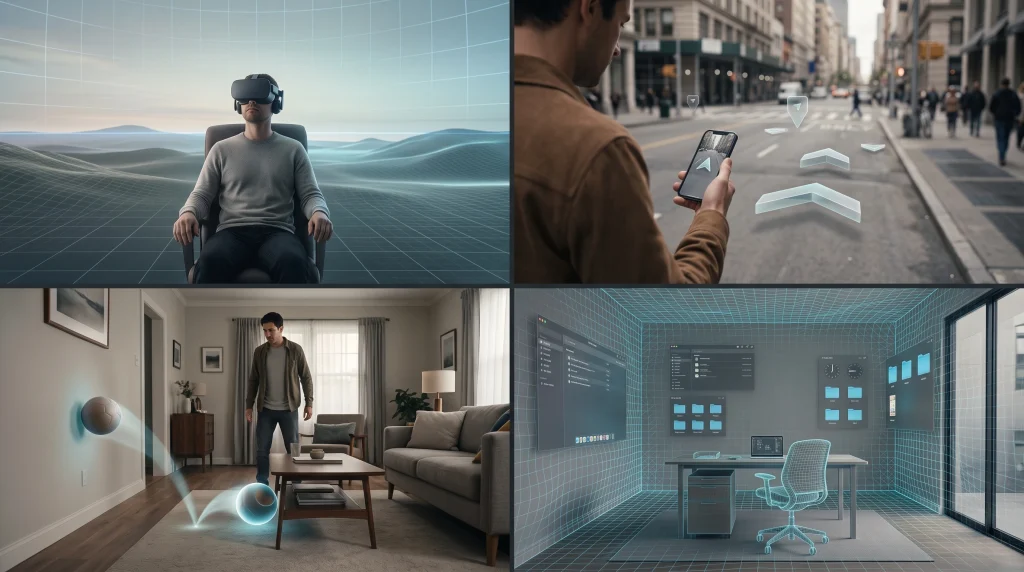
These terms overlap, and companies don’t always use them the same way. Here’s a practical way to tell them apart.
| Term | What it generally means |
|---|---|
| Virtual reality (VR) | A fully digital world. Your physical surroundings are usually blocked out. Common uses include gaming, training and simulation. |
| Augmented reality (AR) | Digital information laid over the real world, such as directions on a phone camera view. The real world stays the main focus. |
| Mixed reality (MR) | Digital objects that appear to exist in your real space and react to it, like a virtual ball bouncing off your real wall. |
| Extended reality (XR) | An umbrella term covering VR, AR and MR. |
| Spatial computing | A broader approach to computing in which the system understands 3D space. It can power VR, AR or MR experiences, depending on the device. |
Microsoft describes these as points on a spectrum, with the physical world at one end and fully digital reality at the other. Mixed reality sits in between.
So, is spatial computing the same as VR? Not exactly. VR is one type of experience. Spatial computing describes the underlying idea of a computer that understands and works within physical space. A single headset can switch between VR, mixed reality and regular app windows, all using the same spatial technology.
What Devices Use Spatial Computing?
Here are several current examples, as of October 2026. They are not a ranking.
Apple Vision Pro
Apple markets Vision Pro as a “spatial computer.” Its current version uses Apple’s M5 chip, along with a separate R1 chip that processes sensor data. You control it with your eyes, hands and voice. The visionOS 27 update, released September 14, 2026, added a more conversational Siri. You can look at something and ask about it without saying “Hey Siri.”
Meta Quest 3 and Quest 3S
Meta’s headsets use color passthrough and room mapping for mixed reality. They let games and apps place virtual objects in your real room.
Meta VR Glasses and display glasses
At Connect 2026, Meta announced Meta VR Glasses: about 100 grams, tethered to a separate compute puck, with color passthrough. They cost $1,300 and ship in spring 2027. Meta also sells the Meta Ray-Ban Display glasses. For more on Meta’s approach to lightweight wearable displays, see our guide to Meta VR glasses.
Samsung Galaxy XR and Android XR
Samsung’s Galaxy XR headset launched in October 2025 on Google’s Android XR platform. It uses eye and hand tracking, and Gemini can understand both what you see in the room and what’s on your virtual screens. Samsung’s first Android XR glasses, reportedly launching in November 2026, don’t have displays. They focus on cameras and AI assistance.
Microsoft HoloLens 2
HoloLens was one of the best-known mixed reality headsets for business. Microsoft discontinued HoloLens 2 in 2024 and will provide security updates through December 31, 2027. It’s still a useful example of the enterprise roots of spatial computing.
These devices differ a lot in price, weight and purpose. What they share is the ability to understand space around the user.
What Are the Real-World Uses of Spatial Computing?
Some of these uses are already common. Others are still emerging.
Gaming (current)
This is the most established consumer use. Mixed reality games can turn your living room into a game level, with characters hiding behind real furniture.
Education (current and growing)
Students can explore 3D models of molecules, planets or historical sites. Being able to walk around a model can make complex ideas easier to understand.
Healthcare (emerging, mostly training and visualization)
Spatial computing is being explored for medical education, anatomy visualization and procedure training. These are support tools for learning and planning, not replacements for clinical judgment.
Manufacturing and field work (current in some industries)
Workers can view step-by-step instructions on top of the equipment they’re fixing, train on virtual machinery, or review 3D designs at full scale. This was one of HoloLens’s main uses.
Architecture and design (current and growing)
Architects and designers can view building models at life size or place a virtual piece of furniture in a real room before it’s built or bought.
Retail (emerging)
Some shopping apps let you preview products in your own space, often through a phone’s AR view rather than a headset.
Workplace collaboration (emerging)
Teams can review shared 3D models together, and some devices offer large virtual screens for remote work. Widespread workplace adoption is still limited.
How AI Is Changing Spatial Computing
AI and spatial computing are increasingly built together. Here’s what AI adds:
- Object and scene understanding: recognizing what’s in the room, not just where surfaces are.
- Visual questions: asking “what is this?” about something you’re looking at. Apple’s visionOS 27 and Google’s Gemini on Android XR both support this kind of request.
- Voice and natural language: talking to your device instead of navigating menus.
- Contextual help: offering useful information based on what you’re doing and where you are.
- Better tracking: machine learning improves hand and eye tracking accuracy.
The direction is clear. Companies are combining spatial awareness with AI assistants that can “see” what you see. But these features are still developing, and their accuracy and usefulness vary.
What Are the Benefits of Spatial Computing?
When it works well, spatial computing can offer:
- More natural interaction: using your hands, eyes and voice instead of a mouse and keyboard
- Better 3D visualization: seeing objects at true scale and from every angle
- Hands-free information: instructions or details that appear where you need them
- Context: digital content tied to real places and objects
- New ways to collaborate: shared 3D spaces for people working together
- More screen space: virtual displays that aren’t limited by a physical monitor
These are potential advantages, not guaranteed results. They depend on the device, the app and the task.
What Are the Limitations of Spatial Computing?
There are still real drawbacks:
- Cost: Apple Vision Pro costs $3,499 in the U.S., Galaxy XR launched at $1,799.99, and Meta’s VR Glasses will cost $1,300.
- Battery life: Apple rates Vision Pro (M5) at up to 2.5 hours of general use.
- Comfort and weight: headsets can feel heavy during long sessions, which is why companies are working on lighter glasses.
- Field of view: digital content often fills only part of what you can see.
- Tracking errors: poor lighting, reflective surfaces or fast movement can confuse sensors.
- Privacy: these devices rely on cameras that constantly scan your surroundings, and some track where your eyes look. It’s worth checking how each company handles that data.
- Limited software: there are fewer apps than for phones and PCs.
- Motion discomfort: some people feel dizzy or queasy in immersive experiences.
- Social acceptance: wearing a headset or camera glasses in public or at work isn’t comfortable for everyone.
Is Spatial Computing the Future of Computing?
Today: spatial computing is real and usable, but still a niche. Headsets are expensive and fairly bulky, and most people still do almost everything on phones and laptops.
In the future: the trend is toward lighter glasses with built-in AI, from Meta, Samsung and Google. If those become comfortable, affordable and useful enough, spatial interfaces could become a normal part of daily computing.
A sensible view is that spatial computing is more likely to become another layer of computing than to replace phones and PCs. Smartphones didn’t eliminate laptops. In the same way, spatial devices may handle tasks they’re best at, like 3D work, hands-free help and immersive media, while screens remain for everything else.
Spatial Computing and the Future of AI
Spatial computing gives AI something it usually lacks: an understanding of the physical world around the user. Combined, the two could produce systems that understand:
- what you’re looking at
- where objects are in a room
- what’s happening around you
- what you’re asking about
- where digital information should appear so it’s actually helpful
Early versions of this already exist in visual AI features on headsets and smart glasses. More advanced, always-aware assistants are still being developed, and they bring important privacy questions. As AI tools become more capable, spatial awareness will likely be one of the ways they move beyond the chat window. Our upcoming guide to the Best AI Tools 2026 will cover the wider AI landscape.
FAQ
What is spatial computing in simple terms?
It’s computing that understands the physical space around you. Instead of keeping everything on a flat screen, it can place digital content in your real room and let you interact with it naturally.
How does spatial computing work?
Cameras and sensors scan your surroundings, software builds a 3D map and recognizes surfaces and objects, and tracking follows your head, hands and sometimes eyes. Digital content is then anchored to real places.
Is spatial computing the same as VR?
No. VR is a fully digital experience. Spatial computing is a broader idea that can include VR, AR and mixed reality.
Is spatial computing the same as augmented reality?
Not exactly. AR overlays digital information on the real world. Spatial computing describes the wider approach of computers understanding 3D space, which AR can use.
What is the difference between spatial computing and mixed reality?
Mixed reality is a type of experience in which digital objects interact with your real space. Spatial computing is the broader computing approach that makes experiences like that possible.
What devices use spatial computing?
Examples include Apple Vision Pro, Meta Quest 3 and 3S, Samsung Galaxy XR on Android XR, and Microsoft HoloLens 2. Newer smart glasses are also adding spatial and AI features.
Does spatial computing require AI?
Not always. Basic mapping and tracking can work without it. But AI increasingly powers object recognition, scene understanding and voice interaction.
How is spatial computing used in business?
Common uses include training, remote assistance, maintenance instructions, design reviews and viewing 3D models at full scale.
Is spatial computing the future?
It’s promising, but still early. It’s more likely to become another way we use computers than to fully replace phones and PCs.
Conclusion
Spatial computing is a broad approach to computing that connects digital information to physical space. It lets you interact with digital content in more natural, location-aware ways. VR, AR and mixed reality all overlap with it, but spatial computing is bigger than any one headset or product category. The technology is real today, though still expensive and limited, and its next stage will likely depend on lighter devices and smarter AI.


One Comment